Wednesday, April 23, 2014

GDL 2 - Animated GIF Rocket

Create an animated GIF by following the linked tutorial and post it to blogger.  After you complete the tutorial, use your pixel art created in Illustrator to make another animation of your characters waving or jumping.

GRADING OBJECTIVES

  • Smooth tweening
  • Complete animation looping
  • Proper file type
LINKS:

Tuesday, April 22, 2014

GDL 2 - Illustrator Animation

Create a couple basic flash animations in Adobe Illustrator by following the tutorial.  Pay close attention and use your layers panel ( Window >> Layers ).  Post your finished .swf file to blogger.

Grading Objectives:

  • Create 2 working animations
  • Animations flow smoothly
  • Artwork is done well
Links:

Monday, April 21, 2014

GIT 1 - Fairy Tale Page

Follow along with the tutorial to create the first page of a fairy tale book using Adobe Illustrator.  Post to blogger when you are finished.

GRADING OBJECTIVES:

  • Use of grid
  • Use of Text Wrap
  • Creating a Drop Cap
  • Creation of all tutorial elements (castle, owl, tree)
  • Use of texture


LINKS:
http://design.tutsplus.com/tutorials/create-the-first-page-of-a-fairy-tale-story-book-with-a-hint-of-kitsch--vector-1122

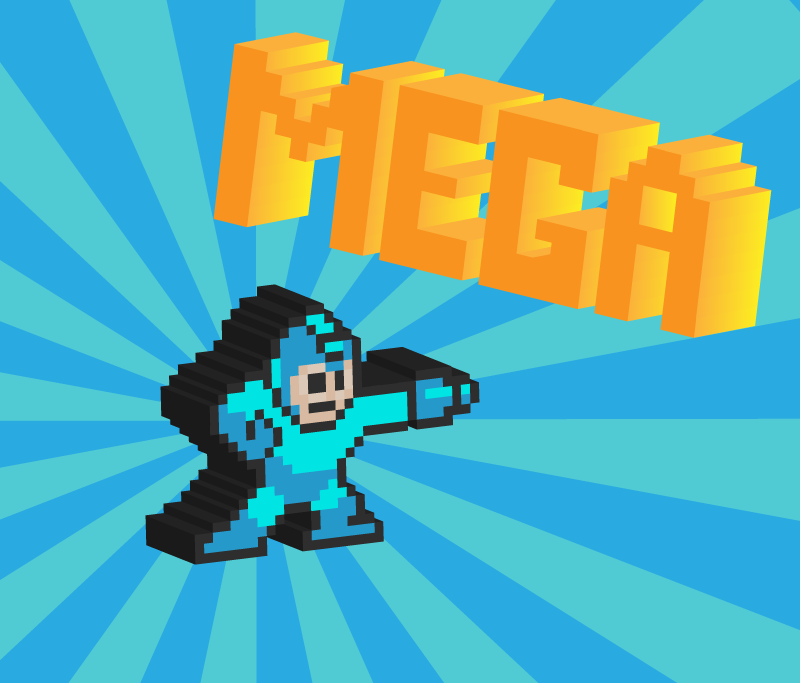
GDL 1 - 3D Pixel Art

For this assignment you will be following a tutorial to make 3D pixel letters on a decorative background.  The only alteration you should make is to change "vectortuts" to the name of the pixel character you drew last week.


When your letters are complete, bring up your grid to draw your character.  You may create your character using

  1. Rectangles and the Pathfinder Palette  or 
  2. Snap to Grid and the Pen Tool
When your character is complete, apply the 3D effect to it just as you did to the letters.

GRADING OBJECTIVES:
  • Completion of tutorial
    • 3D text
    • Cloud with gradients
    • Sunburst background
  • Completion of pixel art character (only use straight lines!)
  • Applying 3D effect to pixel character

LINKS:

Monday, April 14, 2014

GIT 1 - Magazine Layout


Create a magazine layout with a full bleed.  You may choose any topic.  You have to use the color scheme provided.  You may use any photo and filler text off the internet.

Grading Criteria

  • Proper page layout (margins, gutter, bleed)
  • Full color bleeds
  • Use of provided color scheme

Color Scheme


Monday, March 31, 2014

GIT 1 - Tattoo Block Print

DUE: Wednesday April 2nd

Create a tattoo style design for block printing.  Follow the tutorial.

LINKS:
http://blog.spoongraphics.co.uk/tutorials/how-to-create-a-classic-tattoo-style-vector-illustration

GDL 2 - Origami Bird

DUE: April 2nd

Create an origami bird using the tutorial.  Start with the image on the right.

Grading Objectives:
  • Create bird using the Rectangle and Pen tools
  • Use multiple fill colors for depth
  • Use gradients to increase depth
  • Add shadow
LINKS: